
.
Firmware updates – security, stability and new capabilities
For telemetry and tracking devices, operational stability is of the utmost importance. The modules often operate in the field, in challenging conditions, transmitting data that is critical for managing infrastructure, fleets or industrial processes. That is why it is so important to ensure that the firmware is updated regularly.
What is firmware?
Firmware is software stored in a device’s memory. It determines how the module communicates with the GSM/LTE network, how it records data from sensors and how it transmits this data – for example, to a master system, the cloud or an app. In practice, it is the foundation upon which the reliable operation of the entire telemetry system rests.
Why is updating so important?
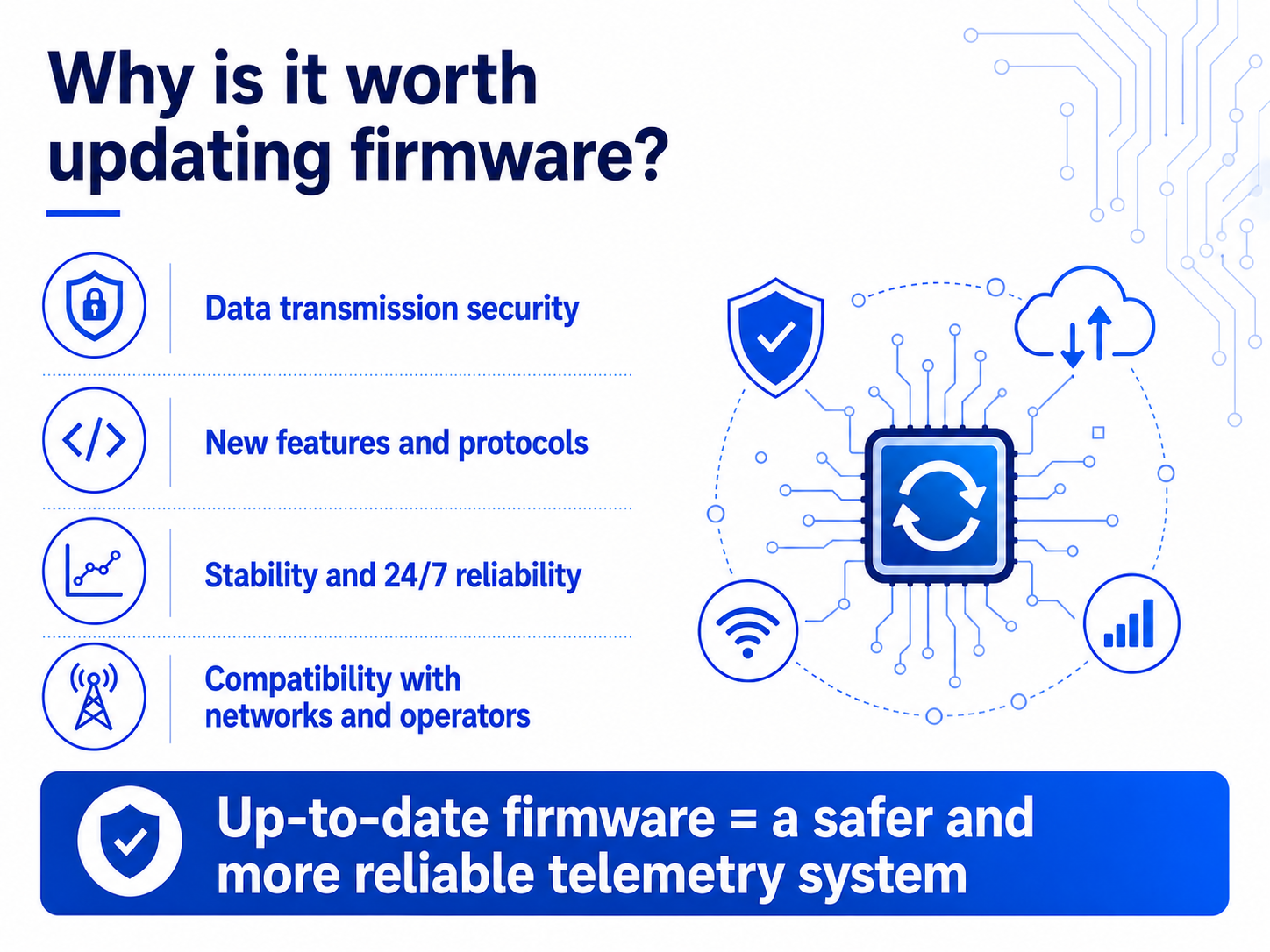
Data transmission security
Telemetry and monitoring rely on the continuous exchange of information. Firmware updates fix detected vulnerabilities and enhance the security of data transmitted by the module – ensuring that the user can be confident that communication with the system is secure.
New features and support for new solutions
Updates often introduce extended support for transmission protocols (e.g. MQTT, M-Bus, SNMP, FTP), new features in the PLC programming module, integration with new platforms, or improvements related to energy management. This enables the module to meet the requirements that arise as telemetry systems evolve.
Stability and reliability in continuous operation
Telemetry devices operate 24/7 – any interruption in communication can result in the loss of critical data. Updates eliminate errors and improve performance in various scenarios, which translates into more reliable operation in the long term.
Compatibility with networks and operators
Mobile technologies are evolving rapidly – operators’ requirements are changing as they update their services and equipment. Firmware updates ensure that the modules remain fully compatible with current solutions.
Case study: A system from 2014 regained full functionality thanks to a firmware update
A telemetry system was installed in 2014 and operated fault-free for many years. It was only recently that the user noticed gaps in data transmission on the SCADA system’s synoptic diagrams. The devices’ power supply was functioning correctly, yet initially, data was not reaching the system at intervals.
The first thought? A fault on the part of the mobile network operator. However, a detailed analysis revealed that the devices were still running the software from the time of their initial installation. Over the years, there had been no need for changes – the system had been operating stably, so the issue of an update had not been raised.
It turned out, however, that the transmission networks had changed in the meantime. The older firmware could not cope with the new parameters and requirements of the telecoms operators. As a result, communication became unstable and the system effectively ceased to function.
The solution was to update the software in the central module, which is responsible for data collection. Once this was carried out, transmission was restored and the system returned to full working order. The update was also carried out at the other sites, which resolved the issue across the entire infrastructure.
How to update the firmware using the MT-151 module as an example?
Updating the software in telemetry modules is a simple and safe process, provided it is carried out in accordance with the recommendations.
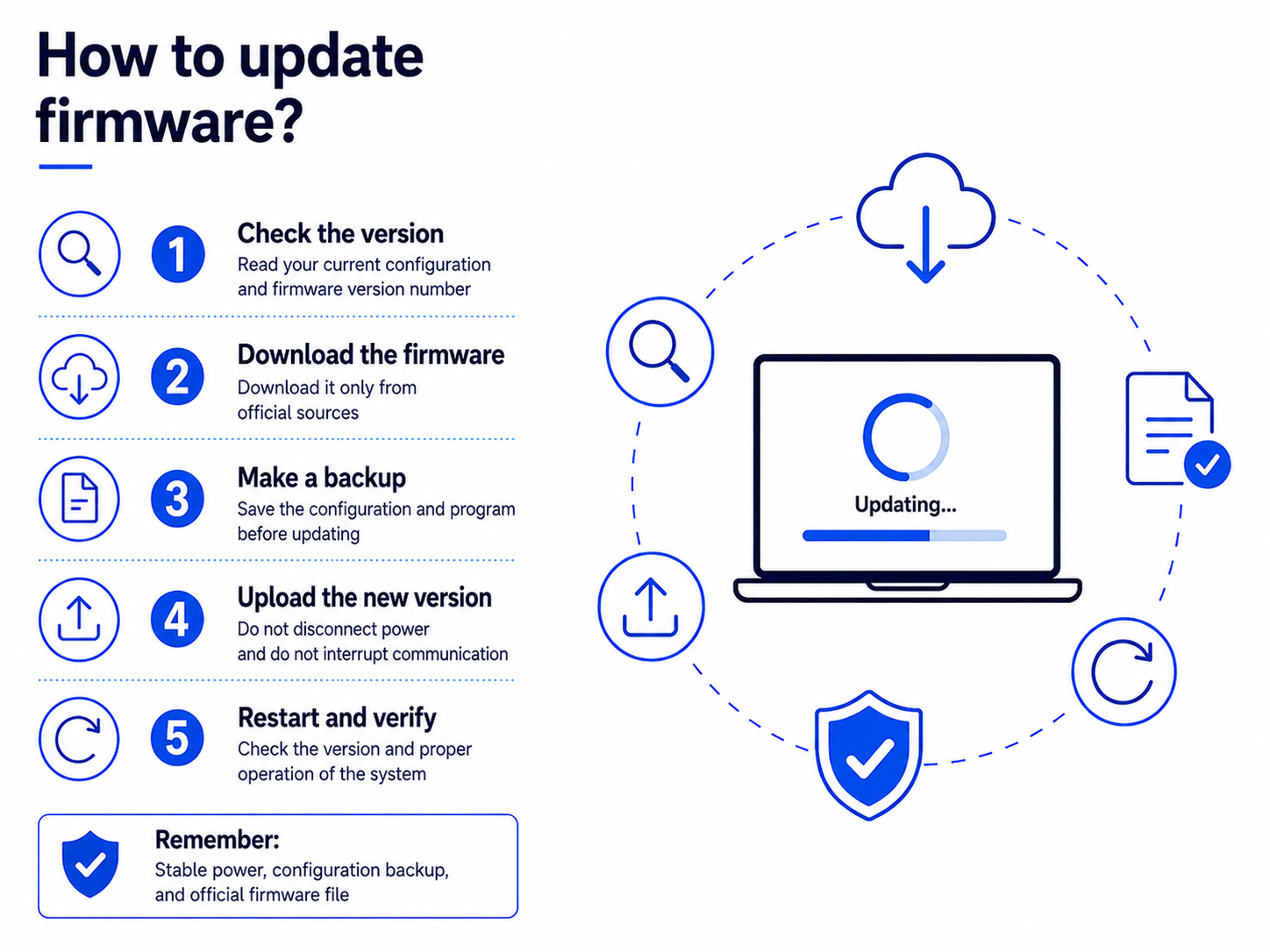
Update steps:
Check the software version
- Read the device’s current configuration via the configuration port (USB/RS-232) or remotely using the MTManager software.
- Check the firmware version number (parameter in the General group).
Download the latest firmware
- The latest file is available in the MTManager software (downloadable from the support section on inventia.pl; it is also available remotely via automatic updates using an FTP connection
- A change log is also available on inventia.pl, detailing new features and fixes.
- Remember: always use official sources.
Verify the backup of the configuration and programme
- Make a backup of the configuration and programme before updating.
- Depending on the firmware version, the update may partially or completely delete the configuration profile and the PLC’s internal programme.
- After the update, load the target configuration and programme so that the device resumes operation in accordance with the previous settings.
Prepare the update environment
- Ensure the device has a stable power supply.
- Local update: computer + communication cable + MTManager software.
- Remote update: check that the device is correctly logged into the GSM/LTE network.
Install the new firmware
- Launch the update application and select the firmware file.
- The process takes a few minutes – do not disconnect the power supply or interrupt the communication.
Restart and verification
- Once complete, the device will restart.
- Check the firmware version number.
- Load the previously saved configuration and programme.
- Verify that the host system (e.g. SCADA, DataPortal) is functioning correctly.
A firmware update is not just a ‘maintenance requirement’. It is a tangible enhancement to security, a guarantee of operational stability and an opportunity to utilise new features
in the telemetry and location modules on offer.
Regular updates ensure that your investment in a telemetry system will operate reliably and in line with current technological requirements.
👉 Would you like to check whether your devices are running the latest firmware?
Contact our technical support team info@inventia.pl or log in to the user area on the website inventia.com
Frequently Asked Questions (FAQ) about firmware updates
Is it safe to update the firmware?
Yes, provided it is carried out in accordance with the instructions. The most important things are: a stable power supply, the correct firmware file, and a backup of the configuration and programme.
Will I lose the device’s internal configuration after the update?
In most cases, the configuration is retained, but depending on the firmware version, it may be partially or completely overwritten. We therefore always recommend making a backup and reloading the desired settings after the update.
How often should I update my devices?
We recommend checking for new versions at least once a year, whenever there is a change to the configuration, or if any issues are detected.
What will happen if I don’t update?
Your devices may continue to work correctly for many years, but you risk a gradual loss of compatibility with your operator’s network, reduced transmission stability, and a lack of access to new features and security measures.
Share this article:



Read more articles:

The first half of 2026 at Inventia: security, partnerships and telemetry in practice
Find out more by reading the post on our blog
Cyber-resilience is a film, and you play the leading role
Find out why cyber-resilience doesn’t stop at IT and what factors determine the security of the entire organisation